Buy on Amazon
As an Amazon Associate I earn from qualifying purchases.
Brother DR-2400 Drum Unit Replacement Guide: Compatibility, Page Yield, and What to Check Before Buying
When a laser printer starts producing faded text, repeated marks, streaks, or uneven print quality, the cause is not always an empty toner cartridge. The imaging drum is another important part of the printing system, and understanding the difference between toner and drum units can help you choose the right replacement without spending money on an unnecessary component.
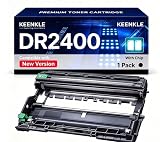
The KEENKLE DR-2400 Compatible Drum Unit is a third-party replacement designed for selected Brother monochrome laser printers and multifunction devices. According to the supplied product listing, it includes an integrated smart chip, is advertised for several HL, DCP, and MFC models, and has a claimed maximum service life of up to 12,000 pages under specified printing conditions.
One essential detail is that this package contains one drum unit, not a toner cartridge. The seller states that the unit must be used with a compatible TN2420 toner cartridge. Understanding this distinction is important before ordering, especially if your printer is displaying a low-toner warning rather than a drum-related message.
This guide explains what the DR-2400 drum unit does, how to assess compatibility, what the advertised page yield means, and which details to verify when considering a third-party replacement.
What Is a Brother DR-2400 Drum Unit?
A laser printer typically uses toner and an imaging drum as separate components, although the exact arrangement depends on the printer design.
The toner cartridge holds the fine printing powder used to create text and images. The drum unit is part of the imaging process: it helps transfer the toner image during printing so that the printer can produce text, graphics, and other content on paper.
Because these components serve different purposes, replacing one does not automatically replace the other.
The KEENKLE DR-2400 is advertised as a compatible replacement for the Brother DR-2400 drum unit. The seller identifies it as a non-original product and states that it includes an integrated smart chip intended to eliminate the need for a separate chip installation.
The supplied listing does not independently verify the chip's behaviour, print quality, or long-term reliability. Buyers should therefore treat these details as manufacturer or seller claims rather than guaranteed performance results.
1. Drum Unit vs. Toner Cartridge: Know the Difference
This is the most important distinction to understand before purchasing.
A drum unit supports the image-transfer process inside the printer. A toner cartridge supplies the toner powder used to produce the printed image.
The listing specifically warns that TN2420 toner is not included.
When might you need a drum replacement?
Depending on the printer and the problem, a drum replacement may be worth investigating when:
The printer displays a drum-related replacement or maintenance message.
Printouts show repeated marks or patterns that may be associated with the imaging drum.
Print quality remains poor after checking the toner cartridge and other basic causes.
The drum unit has reached its recommended service life.
These symptoms do not prove that the drum is faulty. Poor print quality can also result from toner problems, paper, contamination, printer settings, or other components.
Before ordering, consult your printer's manual and the exact message shown on its display. If the printer reports that toner is low or empty, a drum replacement alone may not solve the problem.
Why the distinction saves money
Buying a drum unit when the toner cartridge is the actual problem can lead to unnecessary expense. Similarly, replacing toner will not necessarily resolve a genuine drum-related issue.
Check the model numbers and maintenance instructions for your printer before choosing either component.
2. Printer Compatibility: Check Your Exact Model
The KEENKLE listing names several Brother monochrome laser printer models as compatible with the DR-2400 replacement.
The supplied compatibility list includes:
Brother HL series
HL-L2310D
HL-L2350DW
HL-L2357DW
HL-L2370DN
HL-L2375DW
Brother DCP series
DCP-L2510D
DCP-L2530DW
DCP-L2537DW
DCP-L2550DN
Brother MFC series
MFC-L2710DN
MFC-L2730DW
MFC-L2750DW
MFC-L2710DW
These are the models named in the supplied product information. This guide does not independently verify compatibility for every regional variant or printer configuration.
Why the complete model number matters
Brother uses similar names across multiple printer families and generations. A printer with a similar model number is not automatically compatible with the same drum unit.
Before buying, find the complete model number on the printer's label, in its settings, or in its original documentation. Compare it with both the seller's compatibility list and the manufacturer's consumables information.
If your model is not listed, do not assume that the DR-2400 will fit simply because your printer is a Brother laser printer.
Also check whether the printer requires a separate drum and toner arrangement. Consumable designs can differ even between printers that look similar.
What if your printer is sold under a regional name?
Product names and consumable references can vary by market. If you purchased your printer in a different country from the one where the replacement is being sold, verify the consumable part number using documentation for your specific device.
A seller's broad compatibility claim should not replace an exact model check.
3. Integrated Smart Chip: What Does It Mean?
The listing states that the KEENKLE DR-2400 replacement includes an integrated smart chip and does not require an additional chip installation.
A chip may help a printer recognise or monitor a consumable, depending on the device's design and the information exchanged between the component and printer.
For a replacement drum, the practical question is whether the unit is recognised correctly by the intended printer and whether any required installation or reset procedure is documented.
What to check before buying
The supplied description does not explain the chip's technical design or provide test results for each compatible printer model.
If consumable recognition is important, check whether the seller provides model-specific installation instructions and guidance for handling drum-related warning messages.
Do not assume that an integrated chip guarantees universal compatibility, prevents all warning messages, or eliminates every setup step. Some printers may require the drum counter or maintenance status to be reset according to the manufacturer's instructions after a replacement.
Follow the instructions for your exact printer model. Do not perform a reset simply to clear a warning if the relevant component has not been inspected or replaced.
4. Understanding the Advertised 12,000-Page Yield
The KEENKLE listing advertises a maximum service life of up to 12,000 pages, measured at 5% coverage on A4 paper.
This figure provides a reference point for estimating how frequently a drum might need replacement. However, it should not be interpreted as a guaranteed number of pages for every user.
What does 5% page coverage mean?
Page coverage describes how much of a page is covered by printed content.
A page containing a short paragraph may use relatively little toner and place a different workload on the printing system than a page filled with dense text, dark backgrounds, or large graphics.
The 5% coverage figure is a standardised condition used in many printer-consumable yield estimates. It does not describe every real-world printing pattern.
Why actual service life can differ
Actual drum life may vary depending on factors such as:
The amount and type of material printed.
The number of print jobs and operating conditions.
Paper quality and the printer's condition.
Environmental conditions.
The specific drum design and its manufacturing quality.
Maintenance practices and the printer model.
The listing's 12,000-page figure is an advertised maximum, not an independently verified result for this particular replacement.
The supplied information also does not include an independent comparison demonstrating that this compatible drum matches or exceeds the original Brother component's service life.
For budgeting purposes, treat the number as an estimate and check the manufacturer's recommended drum replacement interval for your printer.
5. Print Quality: Text, Documents, and Everyday Office Work
The seller says the replacement is designed to provide consistent print output, clear text, and even results when used with compatible toner.
These are the intended outcomes of a drum unit, but the supplied product description does not include independent print samples, laboratory results, or long-term reliability data.
Why the drum matters
A drum that works correctly with the printer and toner helps support the image-forming process. If the imaging system is worn, dirty, damaged, or otherwise malfunctioning, print quality can suffer.
However, streaks, spots, faded areas, and repeated marks can have multiple causes. It is important not to assume that every print defect originates in the drum.
What to do when print quality declines
Before replacing components, consider these basic checks:
Review the printer's display for a specific drum or toner warning.
Check the toner cartridge's condition and remaining supply.
Follow the printer manual's recommended cleaning and maintenance steps.
Inspect the printed pages for repeated patterns or other clues.
Confirm which component the manufacturer recommends checking or replacing.
If you replace the drum, follow the correct installation procedure and avoid touching sensitive imaging surfaces. Incorrect handling may damage the component or affect print quality.
6. Third-Party Compatible vs. Original Brother Drum Units
The KEENKLE unit is explicitly described as a non-original compatible replacement. This distinction matters when evaluating cost, support, and documentation.
A third-party component may be attractive to buyers seeking an alternative to an original manufacturer consumable. However, compatibility and performance depend on the specific replacement, its construction, and its interaction with the printer.
Potential reasons to consider a compatible unit
It may provide another purchasing option if an original component is expensive or difficult to obtain.
It is advertised for a defined group of Brother printer models.
The integrated chip may simplify setup if it works as described.
The single-unit package may suit someone who needs only a drum replacement.
What deserves extra attention?
The supplied listing does not provide independent evidence of print quality, component lifespan, manufacturing tolerances, or failure rates.
It also does not establish that the replacement performs identically to an original Brother drum. The listing's statements about matching or exceeding original performance should therefore be treated as promotional claims.
Compare the total cost with an original replacement, taking into account the seller's return policy, warranty coverage, customer support, and the potential inconvenience of a compatibility problem.
If the printer is essential for business operations, reliability and access to technical support may matter as much as the initial purchase price.
7. Package Contents and Installation Considerations
The listing identifies the package contents as:
One KEENKLE DR-2400 compatible drum unit.
It explicitly states that a TN2420 toner cartridge is not included. The seller also says that newer and older packaging may be shipped at random while the product is intended to remain the same.
Before ordering, check the current listing to confirm that the package contains one drum unit and not a combined toner-and-drum kit.
Before installation
Read the instructions supplied with the replacement and the documentation for your printer.
Useful checks include:
Confirming that the printer is switched off as instructed.
Allowing recently used components to cool if required.
Handling the drum carefully and avoiding contact with sensitive surfaces.
Keeping the component away from excessive light, dust, and contamination where the instructions recommend it.
Confirming that the toner cartridge is compatible and installed correctly.
Following the model-specific drum counter or maintenance reset procedure, if one is required.
Do not force the drum unit into place. If it does not fit naturally, recheck the part number and installation orientation rather than applying pressure.
The supplied product information does not include a complete installation guide, so confirm whether the seller provides instructions for your printer.
8. Warranty, Returns, and Customer Support
The supplied listing mentions customer service but does not specify a clear warranty duration or a detailed return policy.
This is an important difference from listings that state an exact warranty period and provide written terms.
Before purchasing, check:
The return window.
Whether the product is covered by a stated warranty.
What happens if the printer does not recognise the unit.
Whether a defective or incompatible component can be returned.
Whether the seller offers installation support.
Whether packaging changes affect identification of the consumable.
Keep the packaging and order details until you have confirmed that the replacement fits and works correctly.
A seller's statement that customer support is available does not establish response times or guarantee a particular resolution. Review the actual purchase terms before relying on them.
Potential Advantages
Based on the supplied product description, the KEENKLE DR-2400 replacement has several possible benefits.
1. Alternative to an original drum: It gives buyers another option to consider when comparing replacement consumables.
2. Broad advertised compatibility: The seller lists selected Brother HL, DCP, and MFC models, making it easier for owners of those models to check potential suitability.
3. Integrated chip: The listing says the chip is already installed, potentially avoiding a separate chip-installation step.
4. Advertised 12,000-page maximum yield: The stated yield offers a starting point for estimating replacement frequency, although actual service life may differ.
5. Single-unit package: The package is intended for buyers who need a drum unit rather than a bundle of multiple drums.
6. Intended for everyday printing: The seller markets it for home-office and regular office use when paired with compatible toner.
These are potential benefits based on the listing. They do not independently establish compatibility, print quality, or actual service life.
Things to Consider Before Buying
A few details deserve attention before you choose this replacement.
Toner is not included: The package contains one drum unit, and the listing specifically excludes TN2420 toner.
Compatibility must be exact: Similar Brother printer names do not guarantee that the same drum will fit.
The page yield is an estimate: The advertised 12,000 pages at 5% coverage is not a guaranteed result.
The chip claim is unverified: The listing does not provide model-by-model recognition tests.
Print quality is not independently documented: The supplied information does not include independent test results or sample prints.
Warranty details are unclear: Check the actual return and warranty terms before ordering.
Packaging may vary: The seller says older and newer packaging may be shipped randomly.
Third-party support may differ: Confirm what assistance is available if installation or recognition problems occur.
If your printer is used for important work, compare the cost savings with the value of predictable performance and available technical support.
Who May Benefit From This Drum Unit?
This replacement may be worth considering for someone who owns one of the explicitly listed Brother printer models, has confirmed that the drum needs replacing, and wants to evaluate a third-party consumable.
It may also suit home-office users or small businesses that regularly print monochrome documents and want to compare alternative consumable options.
It may not be appropriate for someone who only needs toner, has an unlisted printer model, requires independently documented performance, or cannot confirm the replacement's warranty and return terms.
If you are uncertain whether the toner or drum is responsible for a printing problem, identify the cause before buying either component.
Frequently Asked Questions
1. Is the KEENKLE DR-2400 an original Brother drum?
No. The supplied listing identifies it as a third-party compatible replacement rather than an original Brother product.
2. Does the package include TN2420 toner?
No. The listing explicitly states that TN2420 toner is not included. The drum must be used with a compatible toner cartridge as specified for the printer.
3. Which Brother printers are listed as compatible?
The seller names selected models from the HL, DCP, and MFC series, including HL-L2350DW, DCP-L2530DW, MFC-L2710DW, and MFC-L2750DW. Check the complete compatibility list and verify your exact printer model before ordering.
4. How many pages can it print?
The seller advertises a maximum service life of up to 12,000 pages at 5% coverage on A4 paper. Actual life can differ depending on printing patterns, operating conditions, and component performance.
5. Does the drum include a smart chip?
According to the listing, yes. The seller says the chip is integrated and does not require separate installation. The supplied information does not independently verify recognition across all listed models.
6. Will replacing the drum fix streaks or faded printing?
Not necessarily. Print defects can have several causes, including toner issues, contamination, paper problems, or other printer components. Check the printer's maintenance guidance before replacing the drum.
7. Do I need to reset the drum counter after installation?
Some printer models require a drum counter or maintenance reset after replacement. Follow the instructions for your exact Brother printer and the supplied drum unit rather than assuming the same procedure applies to every model.
8. Should I choose this compatible drum or an original Brother replacement?
The decision depends on price, verified compatibility, available warranty support, and your tolerance for uncertainty. The supplied listing does not provide independent evidence that the compatible unit matches the original in every performance measure.
Final Thoughts
The KEENKLE DR-2400 is marketed as a compatible drum replacement for selected Brother HL, DCP, and MFC monochrome laser printers. Its advertised features include an integrated chip, a maximum yield of up to 12,000 pages at 5% coverage, and a single-unit package intended for everyday printing.
The most important step is to confirm that your exact printer requires a DR-2400 drum unit rather than a toner cartridge. The listing specifically excludes TN2420 toner, so it will not replace an empty toner cartridge by itself.
Before purchasing, verify your printer model, review the seller's return and warranty terms, and treat the stated yield and performance claims as estimates rather than guarantees. If you need a dependable replacement for a printer used every day, compare the documented specifications and support available for both compatible and original consumables.
Affiliate disclosure: As an Amazon Associate, I earn from qualifying purchases.


Comments
Comments
Post a Comment